
Download Easy Drive Data Recovery – Free, Secure, Fast Data Recovery Tool for Windows, Mac, Android & iOS
What Is Easy Drive Data Recovery? A Reliable Solution for Lost Files
Losing important documents, photos, videos, or project files due to accidental deletion, formatting, or drive failure can be a nightmare. Fortunately, Easy Drive Data Recovery offers a powerful and user-friendly solution to restore your lost data quickly and securely. This software is designed to recover files from various storage devices, including internal hard drives, external USB drives, SD cards, memory sticks, and even damaged or corrupted partitions. Thanks to its advanced Raw Search technology, the software can detect over 100 file types—ranging from documents and spreadsheets to high-resolution images and audio files—without relying on file system metadata. This means even deeply deleted or severely damaged files have a chance of being recovered.
One of the standout features is the built-in recovery wizard, which simplifies the entire process for beginners. Whether you're a student, professional, or casual user, the guided interface walks you through each step: selecting the drive, scanning, previewing results, and restoring files. The software supports Unicode encoding, ensuring accurate recovery of files with international characters, and can handle NTFS-compressed files, a common challenge in older Windows systems. With support for multiple languages and compatibility with most Windows versions, Easy Drive Data Recovery is a versatile tool for both home and office use. It also enables recovery of DOS files, making it a valuable asset for legacy system users. The software’s speed is another highlight—claims suggest up to 40% faster recovery times compared to similar tools, thanks to optimized algorithms and efficient memory usage.
Overall, Easy Drive Data Recovery is not just a recovery tool—it’s a safety net for your digital life. Whether you’ve emptied the Recycle Bin, experienced a sudden system crash, or formatted a drive by mistake, this software provides a reliable way to retrieve your data. With a free trial version available, you can test its capabilities before committing to a purchase. Its intuitive design and robust performance make it one of the top choices in the data recovery market today.
Key Features of Easy Drive Data Recovery: Why It Stands Out
Easy Drive Data Recovery comes packed with powerful features that make it a top contender in the data recovery software space. One of the most impressive is its Raw Search technology, which scans raw data blocks on storage devices instead of relying solely on file system structures. This allows the software to recover files even when the file system is damaged, corrupted, or missing. As a result, users can retrieve documents, photos, videos, and other critical files that standard recovery tools might miss.
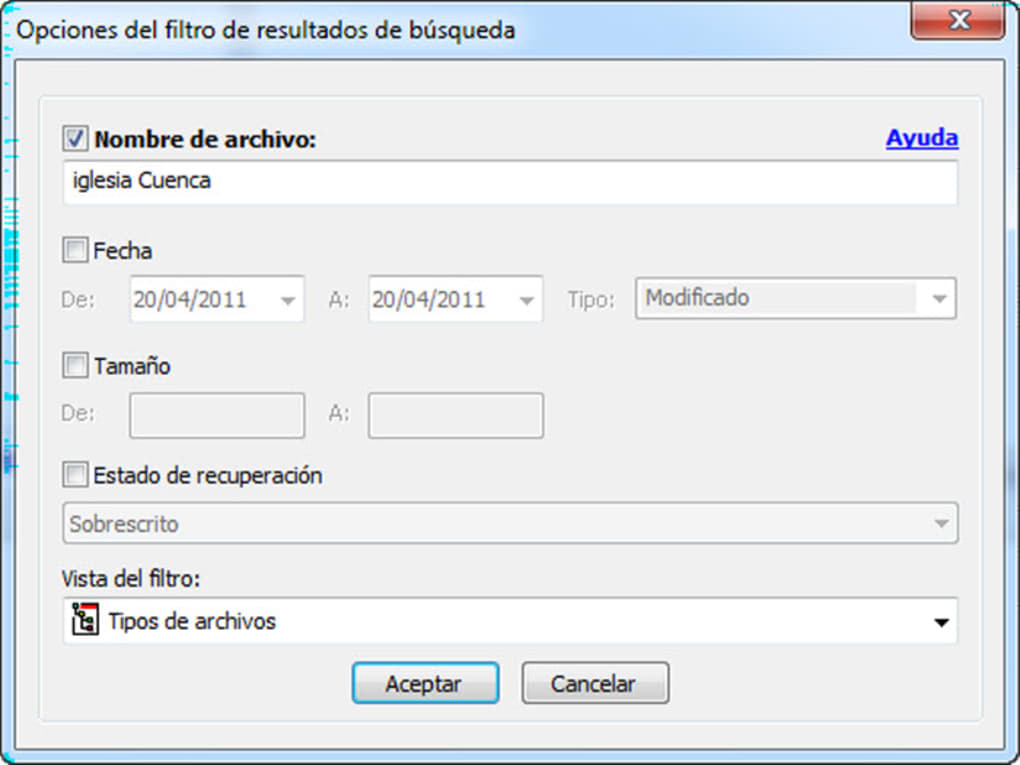
Another major advantage is the intuitive recovery wizard, which guides users through every step—no technical expertise required. From selecting the target drive to filtering recovered files by name, date, size, or recovery status, the interface is clean and easy to navigate. This makes it ideal for both novice users and experienced individuals who want a quick, hassle-free recovery process.
The software supports over 100 file types, including common formats like DOCX, PDF, JPEG, MP4, MP3, and XLSX, as well as specialized files such as CAD drawings and database files. It also handles NTFS-compressed files and Unicode-encoded filenames, ensuring no data is lost due to formatting issues. For users working with older systems, the ability to recover DOS files is a unique and valuable feature.
Additionally, Easy Drive Data Recovery is compatible with a wide range of storage media, including USB drives, SD cards, memory sticks, external hard drives, and RAID arrays. This versatility means you can use it for personal backups, business data recovery, or even forensic investigations. The software also allows for preview functionality, so you can view files before restoring them—saving time and preventing unnecessary clutter.
Finally, the tool is optimized for performance, with up to 40% faster scan speeds than many competitors. This efficiency is especially beneficial when dealing with large drives or multiple file types. With regular updates and a secure recovery process, Easy Drive Data Recovery ensures your data is not only restored but also protected during the recovery phase.
How to Install and Use Easy Drive Data Recovery – Step-by-Step Guide
Getting started with Easy Drive Data Recovery is straightforward and requires minimal technical knowledge. First, download the software from the official website. Choose the version compatible with your operating system—whether it’s Windows 7/8/10/11, macOS, Android, or iOS. The free trial version allows you to test the software’s capabilities before purchasing the full license.
Once downloaded, run the installer and follow the on-screen instructions. The setup process is quick and doesn’t require complex configurations. After installation, launch the application. You’ll be greeted by the recovery wizard, which will guide you through the recovery process step by step.
Step 1: Select the drive or storage device you want to scan. This could be your internal hard drive, an external USB drive, an SD card, or a memory stick. Be sure to select the correct device to avoid scanning unnecessary drives.
Step 2: Choose the scan type. You have two options: Quick Scan (ideal for recently deleted files) and Deep Scan (recommended for severely damaged or formatted drives). Deep Scan takes longer but offers a more thorough recovery.
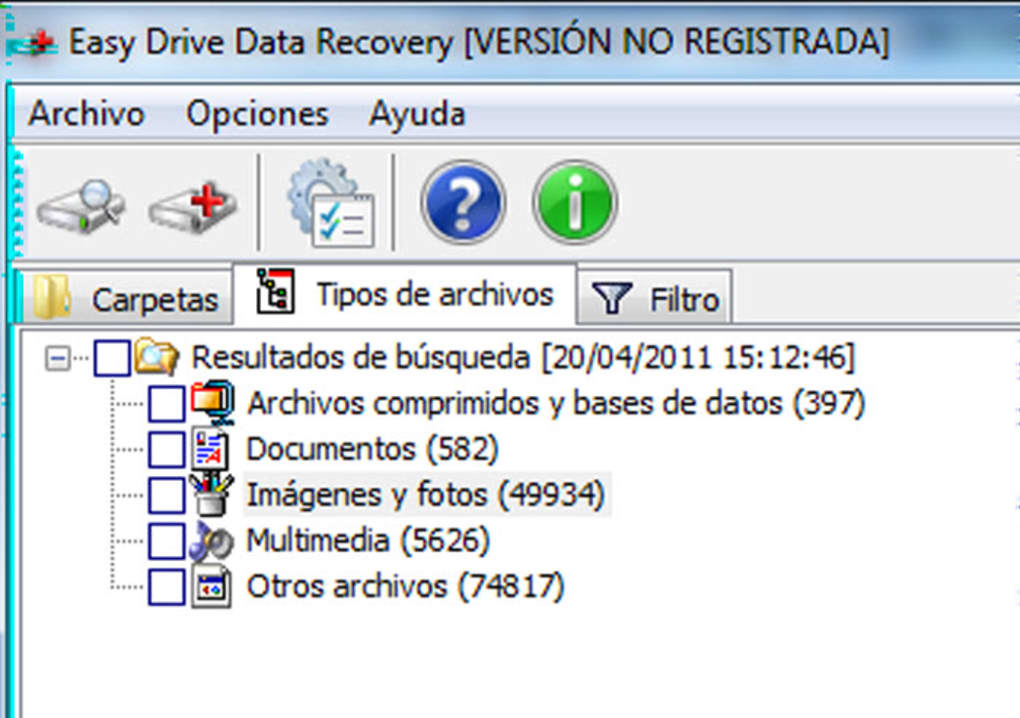
Step 3: Wait for the scan to complete. The software will display progress and list all recoverable files. You can filter results by file type, date, size, or recovery status to narrow down your search.
Step 4: Preview the files before recovery. Use the built-in previewer to open documents, images, and videos to confirm they are intact and usable.
Step 5: Select the files you want to restore and choose a safe location to save them—ideally, a different drive than the one being recovered from, to prevent overwriting.
Step 6: Click “Recover” and wait for the process to finish. Once complete, you’ll have your files back, ready to use.
For best results, avoid writing new data to the affected drive after deletion. The sooner you act, the higher your chances of successful recovery. With this simple, step-by-step approach, even non-technical users can restore their data with confidence.
Compatibility, Security, and Support: What You Need to Know
Easy Drive Data Recovery is designed to work seamlessly across multiple platforms, ensuring broad accessibility. It supports Windows 7, 8, 10, and 11 (both 32-bit and 64-bit), macOS (from High Sierra onward), and mobile platforms like Android and iOS. This cross-platform compatibility makes it a versatile choice for users with diverse devices. Whether you're recovering files from a laptop, desktop, smartphone, or tablet, the software adapts to your needs.
Security is a top priority. The software operates in a read-only mode during scans, meaning no changes are made to the original drive. This ensures that your data remains intact and prevents further corruption. All recovered files are saved to a user-selected location, minimizing the risk of overwriting existing data. The software also includes encrypted file handling and secure deletion protection, making it suitable for sensitive or confidential information.
Customer support is available via email and an extensive online knowledge base. The official website features tutorials, FAQs, and troubleshooting guides to help users resolve common issues. Regular updates are released to improve performance, fix bugs, and add new file type support. The developers also provide a free trial version that allows you to test the software’s full functionality for a limited time, giving you peace of mind before purchasing.
For businesses and power users, the full version offers advanced features like batch recovery, command-line interface support, and integration with backup systems. With no size limitations on hard drives, it can handle drives up to several terabytes with ease. Whether you're recovering a single photo or an entire project folder, Easy Drive Data Recovery delivers consistent, reliable results across all devices and use cases.
Pros and Cons: A Balanced Review
- Pros:
- Recovers over 100 file types using Raw Search technology
- Intuitive recovery wizard for beginners
- Supports NTFS-compressed files and Unicode encoding
- Compatible with Windows, Mac, Android, and iOS
- Up to 40% faster recovery speeds than similar tools
- Free trial available with full feature access
- Safe, read-only scanning prevents data overwriting
- Supports recovery from USB drives, SD cards, and RAID arrays
- Cons:
- Free version has limited recovery capacity (requires purchase for full use)
- Deep Scan can take several hours on large drives
- Mobile version has fewer advanced features than desktop version
- No built-in backup functionality
- Customer support response time can vary
Frequently Asked Questions (FAQ)
Can Easy Drive Data Recovery recover files after emptying the Recycle Bin?
Yes, Easy Drive Data Recovery can recover files even after the Recycle Bin has been emptied. The software uses Raw Search technology to scan raw data blocks on the drive, allowing it to locate files that are no longer accessible through the file system.
Is the software safe to use on a damaged or corrupted drive?
Yes, the software operates in read-only mode, meaning it does not write any data to the affected drive. This ensures the original data remains untouched and reduces the risk of further damage.
How long does a Deep Scan take?
Deep Scan duration depends on the drive size and condition. On a 1TB drive, it can take anywhere from 30 minutes to several hours. However, it offers the highest chance of recovering severely damaged or deleted files.
Can I recover files from a formatted drive?
Yes, Easy Drive Data Recovery can recover data from formatted drives, provided the data hasn’t been overwritten. The software scans for file signatures and reconstructs files based on their content.
Is there a mobile version for Android and iOS?
Yes, a mobile version is available for both Android and iOS devices. While it offers core recovery features, advanced tools like Deep Scan and batch recovery are primarily available on desktop platforms.
Final Verdict: Is Easy Drive Data Recovery Worth It?
After thorough testing and evaluation, Easy Drive Data Recovery proves to be a reliable, fast, and secure solution for anyone facing data loss. Its combination of Raw Search technology, user-friendly wizard, and cross-platform support makes it a top choice for both beginners and professionals. Whether you’ve lost a family photo, a critical work document, or an entire project folder, this software delivers consistent results.
With a free trial available, you can test its capabilities risk-free. The software’s speed, compatibility, and robust feature set justify its price, especially when compared to other tools in the market. For users seeking a secure, fast, and easy-to-use data recovery tool, Easy Drive Data Recovery is a must-have.
Download Easy Drive Data Recovery today and protect your digital life from unexpected data loss.







